








Tips for Creating a Clutter-Free and Organized Workspace at Home
Working from home has become a common part of many people’s lives. While it offers flexibility and comfort, it can also make maintaining an organized workspace more challenging. A cluttered environment can impact focus, creativity, and overall efficiency. Fortunately, creating a clutter-free and organized workspace at home is achievable with some practical strategies.
In this post, we’ll explore helpful tips to transform your home workspace into a clean, inspiring, and productive area.
Why an Organized Workspace Matters
Before diving into tips, it’s important to understand why workspace organization is key:
– Improves Focus: A tidy desk reduces distractions and helps you concentrate.
– Boosts Productivity: When everything is in its place, you spend less time searching for items.
– Reduces Stress: Clutter can increase feelings of overwhelm; an organized space promotes calm.
– Enhances Creativity: A clean area can foster clearer thinking and innovation.
Step 1: Choose the Right Location
Start by selecting a space with enough room and good lighting:
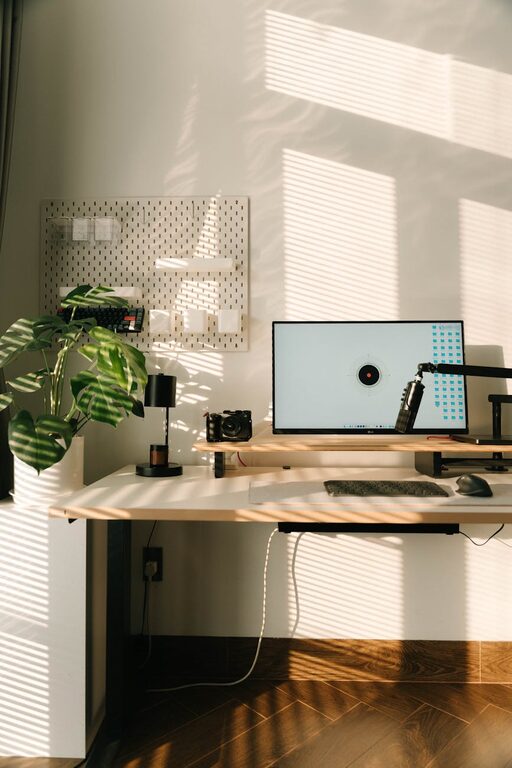
– Natural Light: Position your desk near a window if possible. Natural light improves mood and reduces eye strain.
– Quiet Area: Choose a spot with minimal noise to stay focused.
– Comfortable Space: Make sure there is enough room for your chair, desk, and any equipment you need.
Step 2: Declutter Your Desk and Surroundings
Begin by clearing everything off your desk and evaluating what you truly need:
– Keep Essentials Only: Limit items to those you use daily, such as your computer, notebook, and pens.
– Remove Unnecessary Items: Store or discard anything that doesn’t serve a purpose.
– Organize Cables: Use cable ties or clips to tidy up cords, preventing tangles and clutter.
Step 3: Use Smart Storage Solutions
Good storage helps maintain order and keeps supplies within reach:
– Desk Organizers: Use trays, pen cups, or drawer dividers to separate small items.
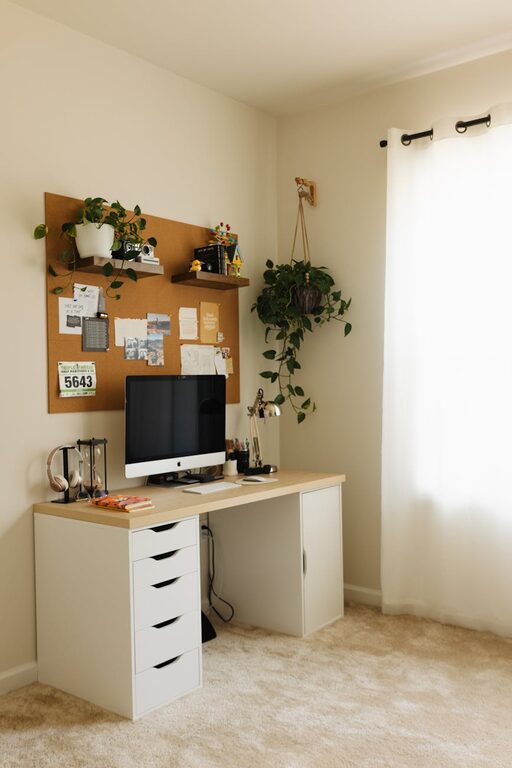
– Shelving: Install shelves nearby to store books, files, or equipment.
– Storage Boxes and Bins: Label containers to sort papers, chargers, or accessories.
– Filing System: Keep important documents filed and easy to find, either physically or digitally.
Step 4: Optimize Your Desk Setup
An ergonomic and functional desk layout enhances comfort and efficiency:
– Monitor Position: Keep your screen at eye level to prevent neck strain.
– Chair Adjustments: Invest in a comfortable chair with good back support.
– Minimal Decorations: Personal touches are good, but avoid overcrowding the desk.
– Lighting: Use a desk lamp to supplement natural light for evening work.
Step 5: Develop Daily Tidying Habits
Keeping your workspace organized is an ongoing process:
– End-of-Day Routine: Spend 5-10 minutes clearing unnecessary items and tidying your desk.
– Regular Decluttering: Schedule weekly or monthly reviews to remove accumulated clutter.
– Digital Organization: Organize your computer files and emails regularly to reduce digital clutter.
Additional Tips for a Productive Workspace
– Incorporate Plants: Adding a small plant can improve air quality and create a calming environment.
– Set Boundaries: Clearly define your workspace to create a mental separation between work and home life.
– Use a Whiteboard or Planner: Keep track of tasks and deadlines visually to stay organized.
– Minimize Noise: Use noise-canceling headphones or background music if needed to maintain concentration.
Conclusion
Creating a clutter-free and organized home workspace doesn’t require a complete overhaul. By choosing the right spot, decluttering mindfully, using smart storage, and maintaining good habits, you can design an environment that supports your productivity and well-being. Start small, and watch how a tidy workspace can make your work-from-home experience more enjoyable and effective.
Remember, an organized workspace is a key step toward a clearer mind and better workdays!